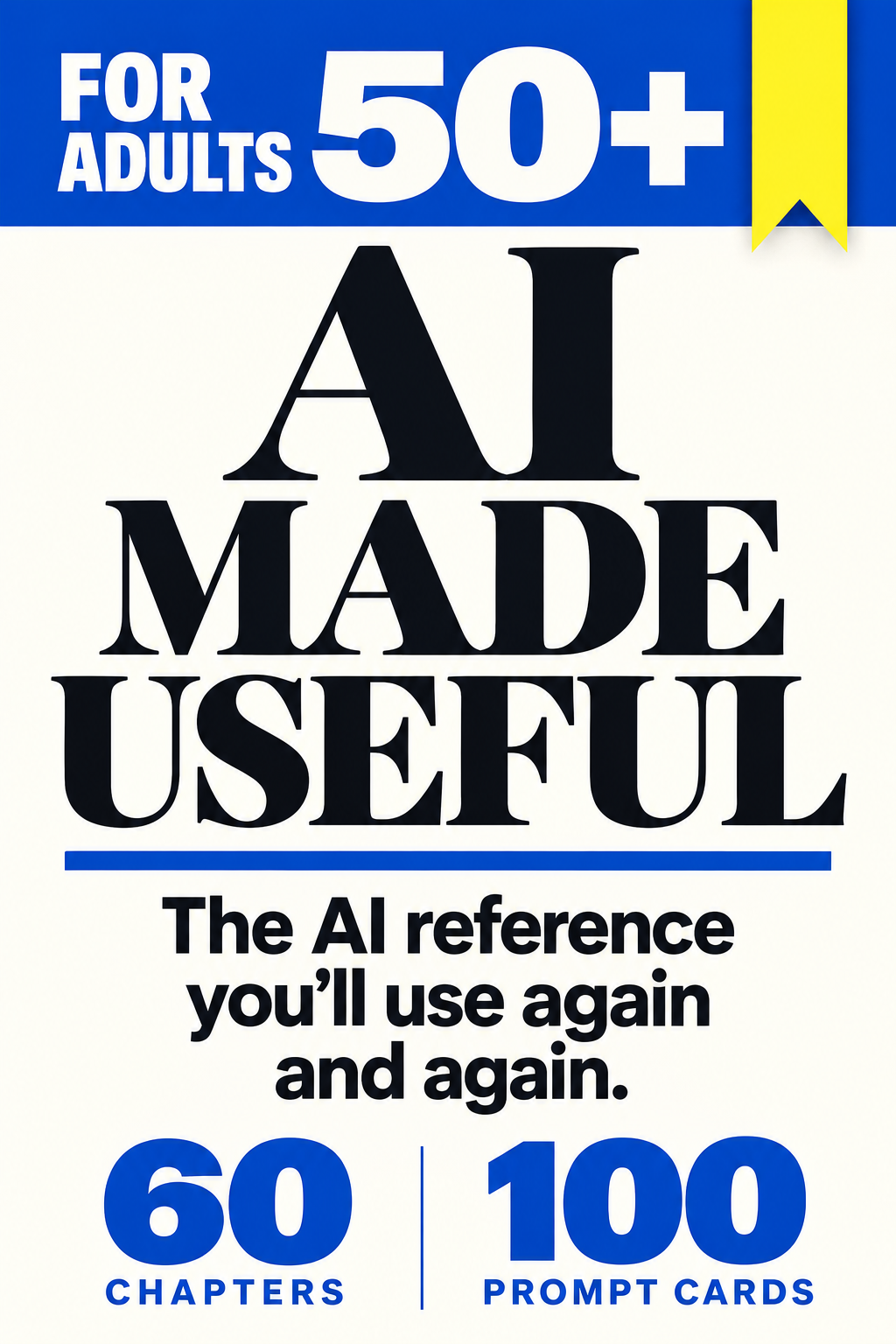
50+Made for adults. No technical background needed.
You don’t need to learn AI.
You need a place to look things up.
AI Made Useful is a 445-page encyclopedia, not a course. Sixty chapters organised by the job you actually need doing — understand a letter, compare two offers, write the difficult message, keep a family story. Open it when a task appears. Close it when the task is done.
Sixty days to change your mind. Full refund, no questions asked.
Digital eBook · 445 pages · 60 chapters · 100 prompt cards · 25 worked conversations · 6 worksheets
445pages
60chapters
100prompt cards
25worked conversations
6project worksheets
Most people don’t quit AI because it’s hard. They quit because nothing told them what it was for.
You open the box, type something, and get back a paragraph that is fluent, confident and not quite useful. So you close it again. Nothing was broken. You simply had no reason to be there.
A course would hand you sixty videos and a schedule. That is the wrong shape for this. You do not need to study AI on a Tuesday evening. You need to find the right page on the afternoon a confusing letter arrives.
So this is built like a reference book. Find the job. Read four pages. Get the thing done. Put it back on the shelf until the next time.
A dictionary. A map. Not a course you fall behind on.
Nobody reads a dictionary cover to cover and nobody feels guilty about that.
You open it when you hit a word. That is exactly the relationship this book is designed for.
Like a dictionaryYou do not study it. You look things up in it. Sixty chapters indexed by the job, not by the jargon.
Like a mapIt shows you where you are and the route to the thing you want. You choose how far to travel today.
Like a recipe book100 prompt cards you copy, adapt and reuse. The good ones get stained and dog-eared. That is the point.
Unlike a courseNo start date, no schedule, no modules to complete, nothing to keep up with and no way to be behind.
Unlike a subscriptionPaid once. No renewal, no login that expires, no service that can be discontinued from under you.
Three months from now, an unfamiliar letter arrives, or a suspicious text, or a quote you cannot
compare. You will not need to remember a lesson. You will need to find the page. That is what you are buying.
Each chapter takes one job from start to finished result — including the moment the first answer is
wrong and what you say to fix it.
Chapter 23
Work out what the letter is asking
Separate the required action, the deadline, the conditions and the exceptions — and see which details the assistant quietly left out.
Chapters 22 & 31
Write the message you keep putting off
Draft the difficult email while keeping your own facts, your own tone and your own intentions intact.
Chapters 28 & 59
Compare the whole offer, not the headline price
Find the real total, keep the missing terms visible, and get a better follow-up question to ask.
Chapters 33 & 34
Keep the story behind the photograph
Turn a memory into a first page without letting AI invent the parts you never told it.
Chapters 55–57
Put your experience back to work
Messy notes into clear next steps, your first understandable spreadsheet, an honest work sample.
Chapters 45–47
Check before you click, pay or believe
A convincing message is a claim, not a fact. Learn the verification route that does not rely on the message itself.
The complete contents
See what all 60 chapters cover.
Thirteen parts. Every chapter is a self-contained job with a worked example, a correction and a check.
Read the list and see whether this is the reference you need.
Every card is built the same way: the job it is for, the request to send, the follow-up that improves it,
what a good result actually looks like, and the mistake to check for before you act on it.
Card 04
Read a document without filling its gaps
Use this for a suitable, anonymized excerpt from a notice, letter, or set of terms.
The starting requestUse only the text below. Explain its purpose, requested action, stated deadlines, amounts, conditions, and exceptions. Write "not stated" where information is missing. Separate direct statements from interpretations. Finish with three questions I may need to ask the sender. Text: [excerpt]. If a missing condition could reverse the interpretation, put that uncertainty beside the relevant conclusion.
Next turn
"Point to the exact short wording that supports [important interpretation]. Identify any missing document this depends on."
What a useful result looks like
If a letter gives a response deadline but no payment date, the summary should retain the deadline and say that a payment date is not stated. It should not copy one date into both roles. Look for: a summary that preserves the meaning of words such as "may," "must," and "unless."
Before you act
Compare the output with the original. Verify the sender independently if payment or personal information is requested. Seek suitable advice for consequential legal or financial interpretation. Avoid uploading the whole filing cabinet. A carefully selected passage may be enough, provided you retain the context and exceptions needed to understand it.
Card 15
Understand the full cost
Use this for a bill or offer with several charges or changing prices.
The starting requestCalculate the cost over [period] using only these terms: [terms]. Show the arithmetic. Separate recurring charges, one-time charges, discounts, and unknowns. Use the stated duration of each discount. Do not assume taxes, fees, or future prices that are not supplied. Preserve units and billing periods, and show which missing charge could make the apparent total incomplete.
Next turn
"What must I confirm with the provider before treating this as the actual total?"
What a useful result looks like
Three months at 20, followed by nine at 35, plus a one-time fee of 25 totals 400. The first price alone would give a misleading yearly estimate of 240. Look for: a transparent calculation and a short list of unresolved terms.
Before you act
Recalculate independently. Verify current contractual details with the provider and seek suitable advice for consequential uncertainty. Avoid multiplying the introductory monthly price by twelve when the price changes after three months. Ask the assistant to explain each line item before calculating a comparison. You do not have to solve the whole contract in one message.
Card 17
Keep a memory without inventing it
Use this to record a photograph, place, event, or personal observation you are comfortable preserving.
The starting requestHelp me record this memory: [your account]. Ask one question at a time. Use only what I tell you. Preserve uncertainty about dates, identities, and events. Do not add sensory details or dialogue. When drafting, separate the account from details still to confirm. Keep my remembered experience separate from a claim about what another person knew, felt or intended.
Next turn
"List anything in your draft that was not explicitly supplied. Remove it from the factual version."
What a useful result looks like
If you remember green chairs but not the street name, the caption can preserve both the detail and the gap. Inventing an address would make the record less trustworthy. Look for: your particular details and voice, including honest gaps.
Before you act
Check consent for other people's stories or images, factual attribution, and the intended audience. Keep original images and notes separately from edited versions. Avoid letting vivid writing add weather, music, or conversation nobody remembers. Write a caption of four sentences: what is known, what you remember, why it matters, and what remains uncertain.
See all 100 prompt card titles
1. Make a confusing thing understandable
2. Turn a vague problem into a useful brief
3. Rescue an answer that is nearly useful
4. Read a document without filling its gaps
5. Make dinner from the food you have
6. Make a sleep record easier to discuss
7. Prepare for a healthcare appointment
8. Fit an existing routine into real life
9. Learn with hints instead of spoilers
10. Examine a decision without outsourcing it
11. Write a message in your own voice
12. Get help with the screen in front of you
13. Start the household job you keep avoiding
14. Compare a purchase using your priorities
15. Understand the full cost
16. Make a complaint someone can act on
17. Keep a memory without inventing it
18. Plan a relaxed outing
19. Understand a headline or statistic
20. Verify a suspicious request
21. Find what changed between two versions
22. Prepare for a customer support call
23. Turn scattered notes into a reliable timeline
24. Build a checklist from the actual instructions
25. Prepare a clear brief for a repair visit
26. Compare quotations that include different things
27. Make a renewal calendar from your records
28. Plan errands around opening times and deadlines
29. Make a handover someone else can follow
30. Find an outfit in the wardrobe you already own
31. Turn a food photo into an accurate meal note
32. Combine recipes into one usable shopping list
33. Settle the details of a group gathering
34. Write a speech around one true detail
35. Say no without inventing an excuse
36. Practice asking for what you need
37. Practice the language for one real situation
38. Make a hobby experiment before buying equipment
39. Rediscover a subject you used to enjoy
40. Enjoy a book or film without spoilers
41. Turn experience into a lesson someone can use
42. Finish a small creative project
43. Make a packing list that fits the trip
44. Build a backup plan for a disrupted day
45. Read an AI announcement without chasing every feature
46. Choose between AI and a simpler tool
47. Check whether an answer is supported by its source
48. Make a useful handover from a long AI conversation
49. Design a reminder with a clear job
50. Review what actually helped this month
51. Search for real online work
52. Translate experience into paid tasks
53. Write an application without inventing a career
54. Decide whether a course closes a real job gap
55. Practice an interview from your real experience
56. Build a customer-support work sample
57. Define a freelance job that can actually end
58. Estimate what a small job really takes
59. Keep job leads from becoming a second job
60. Agree how AI can help with paid work
61. Find the small obstacle that happens every day
62. Reconnect without making a speech
63. Put one pleasure into a week that fills itself
64. Offer help with a clear boundary
65. Buy information before making a commitment
66. Plan a day with a smaller version built in
67. Prepare questions about making home easier to use
68. Make a phone easier to read, one setting at a time
69. Give news a job and a stopping point
70. Compare your stated priorities with an actual week
71. Turn a broad curiosity into a researchable question
72. Turn a photographed page into a patient lesson
73. Find the missing prerequisite
74. Test whether you understood the explanation
75. Put a dramatic percentage back into ordinary numbers
76. Ask what would make an advertisement's claim true
77. Compare two accounts of the same historical event
78. Prepare for change without pretending to predict it
79. Make an exit plan for a digital service
80. Give an assistant permission for one bounded task
81. Share enough of a document, and no more
82. Make a personal technology help sheet
83. Reduce a recurring meeting to a useful decision
84. Review a project without rewriting its history
85. Confirm that a cancellation is really finished
86. Investigate a changed bill line by line
87. Find the right official door for a local service
88. Read the chart before accepting the headline
89. Ask a venue the accessibility questions that matter to you
90. Choose what to do together when preferences differ
91. Decide what belongs in a shared life story
92. Turn spoken notes into prose that still sounds like you
93. Preserve the story of one ordinary object
94. Host a game that waits for the players
95. Make something funny without making someone a target
96. Visit an impossible place for ten minutes
97. Discover music from what you actually enjoy
98. Solve a puzzle without losing the pleasure of solving it
Read an excerpt from Chapter 4: Your First Useful Conversation and get a feel for the teaching. Free to read, with no email required.
4. Your First Useful Conversation
Start with something you can finish today
You do not need a perfect prompt for your first useful result. A prompt is simply what you send to the assistant: a question, an instruction or some material to work on. Begin with a task whose answer you can judge yourself. A short invitation is better practice than an investment decision because you already know what the invitation should say.
If you have not opened an assistant yet, use your browser to go directly to https://chatgpt.com. Check the address before entering information. Follow the account instructions shown by the official service if you choose to sign in. You can also use an official app, checking that its publisher is OpenAI. A browser is the program you use to visit websites; you do not need to install an additional app for the exercise.
Look for the box where you can type a message. Controls and sign-in options can change, so use the labels on your own screen. Click or tap inside the message box, enter the request below and use the visible send control. If something unexpected appears, stop and read it. Do not buy a subscription merely because an upgrade is offered.
ChatGPT has a free option. Features and usage limits vary, but ordinary text requests are a sensible starting point. This book's purchase does not include a subscription to ChatGPT or another AI service. You can learn the core method before deciding whether any paid feature would solve a problem you actually have.
Watch one invitation become ready to use
Use the following fictional practice request. It contains no personal information and gives you a result you can inspect immediately.
Prompt · Write a friendly message inviting a friend for coffee on Saturday at 11 a.m. at my home. Keep it under 45 words. Ask whether they can come. Do not add an address, food, or other arrangements.
AI repliesWould you like to come over for coffee on Saturday at 11 a.m.? It would be lovely to catch up. Let me know if you can make it.
Read the answer before sending another request. It includes the day, time, location and question. It has not invented an address or promised lunch. “Come over” implies the home setting naturally, although you can ask for “at my home” if that would be clearer.
Now improve one thing:
You typeMake it sound more casual. Keep Saturday, 11 a.m., and coffee at my home unchanged.
AI repliesFancy coming over to my home for coffee on Saturday at 11 a.m.? Let me know if you're free.
You may prefer the first version. That is allowed. AI is offering wording, not grading your taste. If the second version had changed Saturday to Sunday, you would correct the date before polishing the tone. The facts are the part you already know.
Move the result into the place where it belongs
A draft in the chat has not invited anybody. To use it, select the text and copy it into your normal messaging or email app. “Copy” puts the selected text temporarily on your device's clipboard; “paste” inserts it where your cursor is next. Many assistants have a copy control near the answer. If you cannot find it, your device's usual text-selection method is enough.
Before sending a real invitation, replace the practice details with the arrangements you intend. Check the recipient, day and time. If the message needs an address, enter the correct one directly in your messaging app. You do not need to share it with the AI to learn how to write an invitation.
Save a version you like in a note if you expect to use the pattern again. Name the note after its purpose, such as “short invitation,” rather than “brilliant prompt.” Next time, update the facts. A saved pattern is a starting point, not a schedule that remains true forever.
If typing is uncomfortable, your device may offer speech-to-text, which turns spoken words into written text. Read the transcription before sending it, especially names, dates and numbers. Voice conversation is a separate feature in some assistants; you do not need it to dictate a message using your device's keyboard microphone.
Know which details make the answer fit
The useful information in the invitation was the job, the facts, the limits and the desired form. That is the beginning of a reusable method. “Help me” leaves all four open. “Draft an invitation for Saturday, keep it short and do not add arrangements” gives the assistant a job with boundaries.
For another task, choose only the details that change the answer. A dinner request needs ingredients and equipment. A trip needs the destination, dates and your preferences. An explanation needs the thing you do not understand and the level at which to begin. You rarely need to supply your entire history.
Prompt · Help me [task]. The relevant facts are [facts]. Keep [important limits] unchanged. Give me [a message, steps, explanation or comparison]. If an essential fact is missing, ask before completing the answer.
You can use that pattern, but do not make filling it in a ceremony. The invitation worked without a technical vocabulary or an elaborate instruction to become an expert. You completed a conversation, checked the result and learned how to revise it. Chapter 6 will use those same moves for a more complicated brief, where facts and decisions arrive in pieces.
A useful first session ends with something you can use and a reason to trust the details you checked.
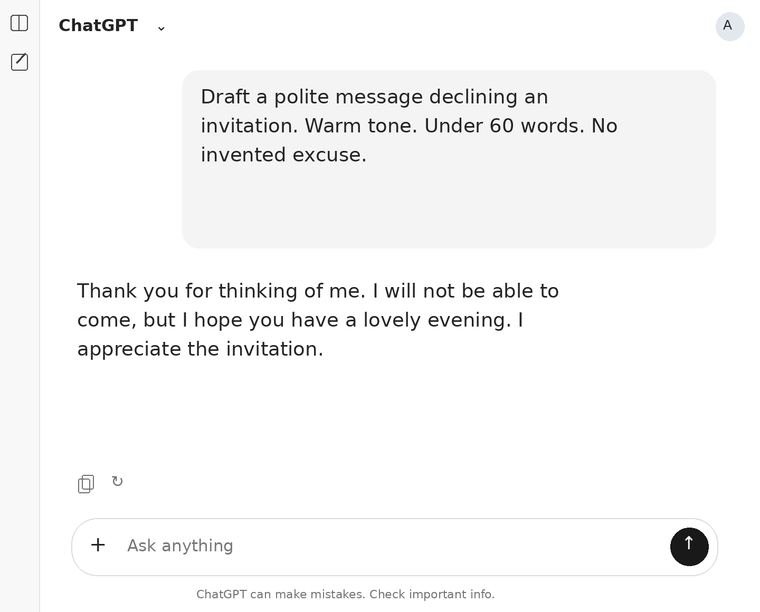
Purpose, tone, length, and a boundary make a small request clearer.
You typeDraft a polite message declining an invitation. Warm tone. Under 60 words. No invented excuse.
AI repliesThank you for thinking of me. I will not be able to come, but I hope you have a lovely evening. I appreciate the invitation.
This excerpt gives you a taste of the book. The full eBook includes 60 chapters, 100 prompt cards and 25 worked conversations.
Practical starting points, clearer questions, and a reference worth returning to.
“
Jacob R.Getting better answers
I had tried ChatGPT and honestly couldn’t see what all the fuss was about. Lots of words, very little help. This book showed me how much I…
Read Full ReviewShow less
I had tried ChatGPT and honestly couldn’t see what all the fuss was about. Lots of words, very little help. This book showed me how much I was leaving out of my questions. Once I started explaining my actual situation and asking for a specific result, the answers improved enormously. Wish someone had explained that at the beginning.
“
Mel G.Knowing where to start
I’m 67. My problem wasn’t understanding the answers. It was knowing what on earth to ask in the first place. The prompt cards sorted that…
Read Full ReviewShow less
I’m 67. My problem wasn’t understanding the answers. It was knowing what on earth to ask in the first place. The prompt cards sorted that out for me.
“
Hose J.A reference to return to
The prompt cards are my favourite part. Like a dictionary, except I’m looking up how to ask for help. There’s usually something close to…
Read Full ReviewShow less
The prompt cards are my favourite part. Like a dictionary, except I’m looking up how to ask for help. There’s usually something close to what I need, and changing the example is much easier than starting from nothing. I’ve gone back to the ones about letters and customer support calls several times already.
“
Lisa J.Useful in everyday life
It’s the ordinary examples that sold me on actually using AI. A difficult letter. A complaint you keep postponing. Questions for an…
Read Full ReviewShow less
It’s the ordinary examples that sold me on actually using AI. A difficult letter. A complaint you keep postponing. Questions for an appointment. I’d heard plenty about how it was going to change the world, but I needed someone to explain where it fitted into my Tuesday.
“
Bob H.Improving the first answer
Apparently you can tell it an answer is too vague and ask it to try again using your circumstances. I didn’t know that. I’d just been…
Read Full ReviewShow less
Apparently you can tell it an answer is too vague and ask it to try again using your circumstances. I didn’t know that. I’d just been reading the disappointing answer and closing the window.
Click To Read More Reviews
“
Martha R.A little more independence
My daughter is lovely about helping me, but I don’t particularly enjoy needing help with every unfamiliar thing on my laptop. The section…
Read Full ReviewShow less
My daughter is lovely about helping me, but I don’t particularly enjoy needing help with every unfamiliar thing on my laptop. The section about getting assistance with the screen in front of you has been especially useful. I can ask for one step, do it, then ask for the next. I’m 74. I like being able to have a proper go myself.
“
Anil D.Preparing for appointments
The doctor’s appointment chapter was the first one I used. I normally remember my questions on the drive home, which isn’t much good. This…
Read Full ReviewShow less
The doctor’s appointment chapter was the first one I used. I normally remember my questions on the drive home, which isn’t much good. This helped me put my concerns in order and prepare questions about what to track and what happens next. I took a printed page with me. For once, I came out feeling I’d actually asked what I went in to ask.
“
Robertson F.Making a start on a life story
I bought it to learn about AI and ended up writing about my father’s shop. The life story section suggests letting it ask you one question…
Read Full ReviewShow less
I bought it to learn about AI and ended up writing about my father’s shop.
The life story section suggests letting it ask you one question at a time. That suited me much better than sitting down to “write my memoirs,” which sounded far too grand. I started with what I remembered about opening up in the mornings. A few pages later, I realised I’d finally begun something I’d been putting off for years.
“
Kayliana L.Comparing the whole offer
Comparing repair quotes! I would never have thought to use AI for that. The book showed me how to check what each one actually included and…
Read Full ReviewShow less
Comparing repair quotes! I would never have thought to use AI for that. The book showed me how to check what each one actually included and identify the questions I still needed to ask. Very useful.
“
Kell B.Keeping family memories
Bought it for the practical stuff. Stayed up reading about recording the stories behind old photographs. There are people in our albums my…
Read Full ReviewShow less
Bought it for the practical stuff. Stayed up reading about recording the stories behind old photographs. There are people in our albums my grandchildren will never meet, and things about them only I remember. I’ve started putting those memories into words.
The complete digital edition
Everything, in one payment, for good.
You are not renting access and you are not joining anything. You are buying four files that sit on your device
and answer questions for as long as you own it.
AI Made Useful
This is not a Book. This is an Encyclopedia for AI.
445-page PDF — the designed reading edition, 60 chapters in 13 parts
EPUB edition — resizable text for any e-reader, phone or tablet
Markdown edition — plain, searchable text if you prefer it
100 prompt cards — request, follow-up, expected result, and the check
25 worked conversations — vague answers repaired into useful ones
Quick reference & task index — find the chapter by the problem you have
Lifetime premium access — updates and new material, free for buyers.
One short email after you buy, and you are on the list
$27$99Launch price · save $72
One payment. Yours to keep for good. No subscription, no renewal, no account to cancel.
The price returns to $99 after launch — and it will never be sold for less than it is today.
Read it. Try three chapters on real tasks. If it is not the reference you hoped for — for any reason,
or for no reason you feel like explaining — email omar@decodesfuture.com within 60 days
and you get every cent back. You keep the files. We do not ask why, and we do not make you justify it.
Be honest with yourself first
Who this is for — and who it isn’t.
Buy it if
You want plain explanations written for an adult, not a child or an engineer.
You would rather solve one real task than complete a course.
You want to know when an answer is wrong, not just how to get one.
You like having a reference on the shelf you can return to for years.
You are 50+, or a complete beginner of any age.
Don’t buy it if
You want to build AI apps, write code, or work with APIs.
You want a video course with a tutor, a schedule and a community.
You are looking for a get-rich-with-AI system. There is no income promise here.
You want someone to do the tasks for you rather than show you how.
You already own Not Too Old for AI and only want the six new chapters.
“This book is for my grandfather, who loved modern technology but didn’t really get to experience it fully. I would have loved to show him how far it has come.”
That wish is at the heart of AI Made Useful: a patient, practical way to explore the technology you are curious about. One useful conversation at a time, at your own pace.
— Omar K., author
Before you decide
Questions people actually ask.
Do I need to know anything about computers?
You need a phone, tablet or computer, an internet connection, and the ability to type a sentence. The book explains every unfamiliar word the first time it appears, starts with one small request, and shows you how to improve the answer. There is no coding anywhere in it.
Is this really written for adults over 50?
Yes — that is the primary audience, and it shapes everything: adult language with nothing talked down to, larger readable type, examples from real life rather than from an office, and a pace you set yourself. Complete beginners of any age use the same lessons very happily.
Do I need to pay for ChatGPT or another AI service?
No. Every core method in the book works on a free assistant account. Some image and file features have limits that change over time, and the book says so where it matters. This purchase does not include a subscription to any AI service — it is an independent guide, not affiliated with OpenAI, Google or Meta.
What exactly do I get, and how?
Four files, immediately: the 445-page PDF, an EPUB for e-readers and phones, a plain-text Markdown edition, and the Project Workbook with six worksheets. The 100 prompt cards and 25 worked conversations are inside the book. Download links appear on screen the moment payment clears and are emailed to you as well. You can re-download them whenever you like.
Why would I pay for this when AI answers questions for free?
Because the free thing answers questions; it does not tell you which question to ask, what a good answer looks like, or how to catch a confident one that is wrong. That is what 445 organised pages, 100 tested prompt cards and 25 worked corrections give you. And you can read an excerpt on this page, free, before you decide whether that is worth $27.
How is this different from Not Too Old for AI?
This expanded website edition develops that book: revised lessons, clearer chapter titles, and six new chapters covering work projects and a personal reference system. Substantial material is shared between the two. If you already own the original, please read the additions above before buying — we would rather you kept your money than bought something you largely have.
Does it give medical, legal or financial advice?
No. It teaches you to organise information and prepare better questions for the qualified people who should actually answer them — and it shows you how to recognise when an answer needs verifying. In an emergency, contact local help directly rather than asking a chat.
Is this a subscription? Will I be charged again?
No. One payment of $27 today. Nothing recurring, no trial that converts, no account that expires. The price returns to $99 after launch, but you will never be charged again for what you buy now.
What if it isn’t for me?
Email omar@decodesfuture.com within 60 days and you get a full refund, no questions asked. You keep the files. We would rather have an honest refund than an unhappy reader.
Read the chapter first. Then decide.
You have seen an excerpt from Chapter 4. Keep the full eBook close for practical help across 60 chapters, at your own pace.
$27$99Launch price · save $72
One payment. Yours to keep for good. No subscription, no renewal, no account to cancel.
The price returns to $99 after launch — and it will never be sold for less than it is today.